
-
USB-C Hidden Camera – No Wi-Fi, 160° Wide Angle
Regular price $49.99 USDRegular priceUnit price per -
Hidden Spy Camera Charger HD 1080p Easy to Use without Wi-Fi
Regular price $49.99 USDRegular priceUnit price per

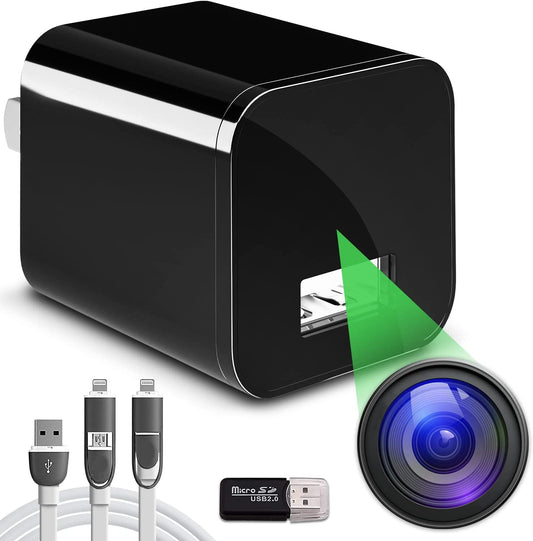
Choose the view that fits your space
Both models record to a compatible microSD card without a router, internet connection or camera app. Start with where you want to record, then check the power source and camera view.
| Model | What to consider | Recording and playback |
|---|---|---|
| USB-C No-WiFi Camera | A 160° wide-angle view from a suitable wall outlet. | Local microSD recording with motion and loop modes. Review saved files using a compatible card reader and device. |
| Original USB No-WiFi Camera | 1080p recording with wall-outlet or compatible power-bank operation. | Local microSD recording with a motion-activated option. Review saved files using a compatible card reader and device. |
Both support compatible microSD cards up to 512GB. Cards are sold separately. For either model, make a short test recording to check the view and lighting before relying on the setup.
From recording to playback
- Prepare your card. Follow the included instructions to prepare a compatible microSD card and select the recording mode.
- Connect power and check the frame. Choose a dry, ventilated indoor position with suitable lighting and a clear view.
- Review and keep the files you need. Use a compatible card reader and computer, or a phone with a compatible reader or adapter and video playback support.
Want to see how saved footage reaches your phone or computer? Watch the no-Wi-Fi recording and playback demonstrations.
A practical option for recording now and reviewing later
A no-WiFi camera can help you review indoor activity around your pets, home office or personal storage space without depending on network coverage. The wall-charger design keeps the setup compact; choose the position for a useful view of your space.
For example, if you want to review activity in an indoor storage area after you return, local recording may fit your needs. If you want to open your phone and check a live view while away, choose a Wi-Fi model instead.
Not sure which connection type fits your needs? Compare Wi-Fi and no-Wi-Fi hidden cameras for remote viewing and local recording.
Questions before you choose
Do these cameras need an internet connection?
These two no-WiFi models record directly to a compatible microSD card independently of a router or internet connection.
Can I watch a live view from work?
These models are designed for local recording and later playback. For live viewing through an app, explore the USB-C WiFi camera or Remote View WiFi camera, and check the model’s power and network requirements.
What do I need for recording and playback?
You need a compatible microSD card, suitable power, and a compatible way to open the saved files. The memory card is not included. Check the chosen product’s current package details for other accessories.
How much footage can I keep?
Recording time depends on card capacity, recording mode and activity. If you use loop recording, save important clips before older files are overwritten.
Need help choosing?
Ask AlphaTech about your setup, or select a model above to see its current details and price.
Ships within 1 business day. Use cameras for authorized monitoring and respect others’ privacy.